1
Your Client Portal
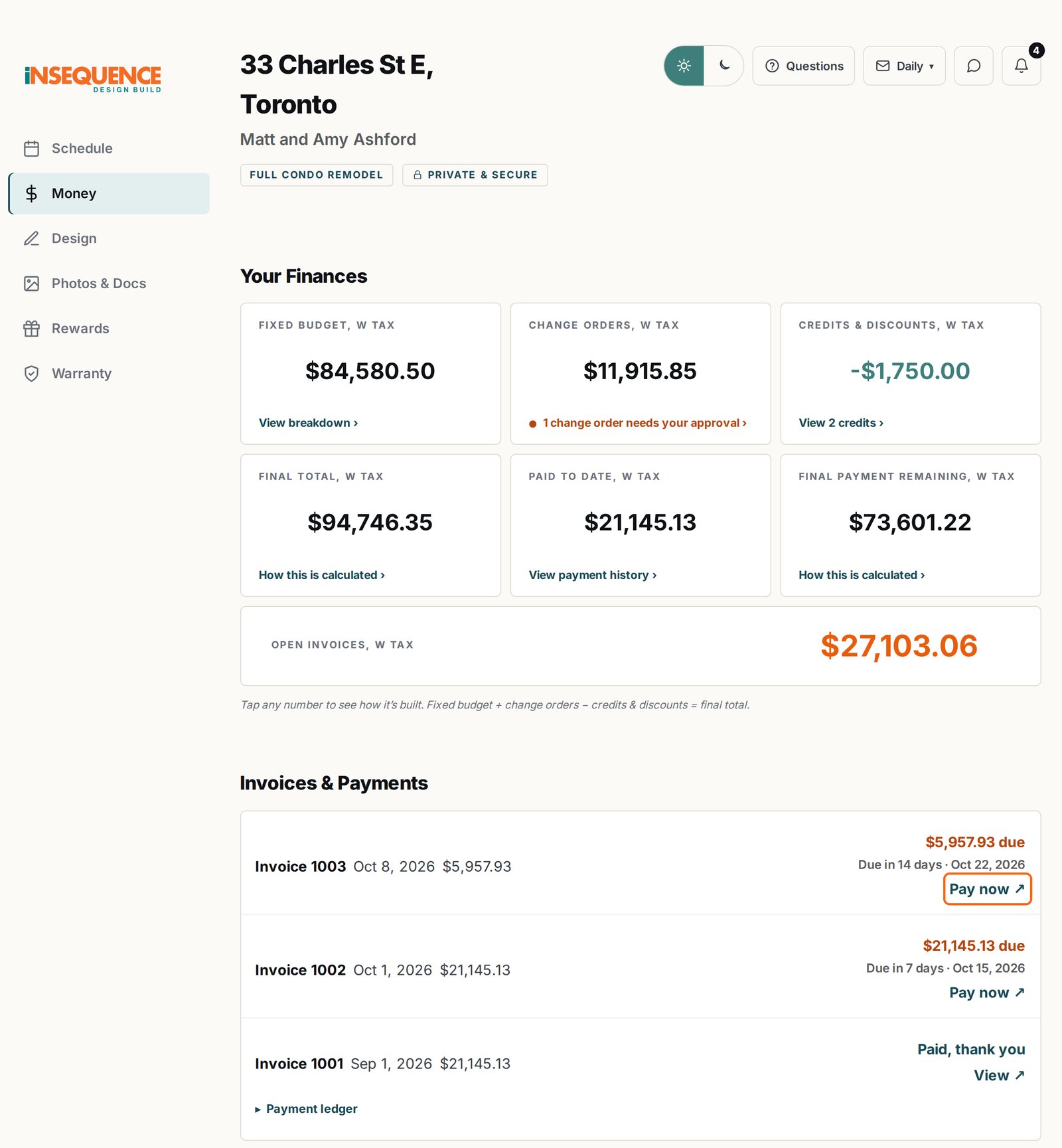
Open The Money Tab, Then Click Pay Now
- Log in to your client portal at insequencereno.ca/client-access.
- Click Money on the left, it's where you'll find all your invoices and payments.
- Click Pay now beside your invoice, and a secure QuickBooks page opens.
2
The Payment Page
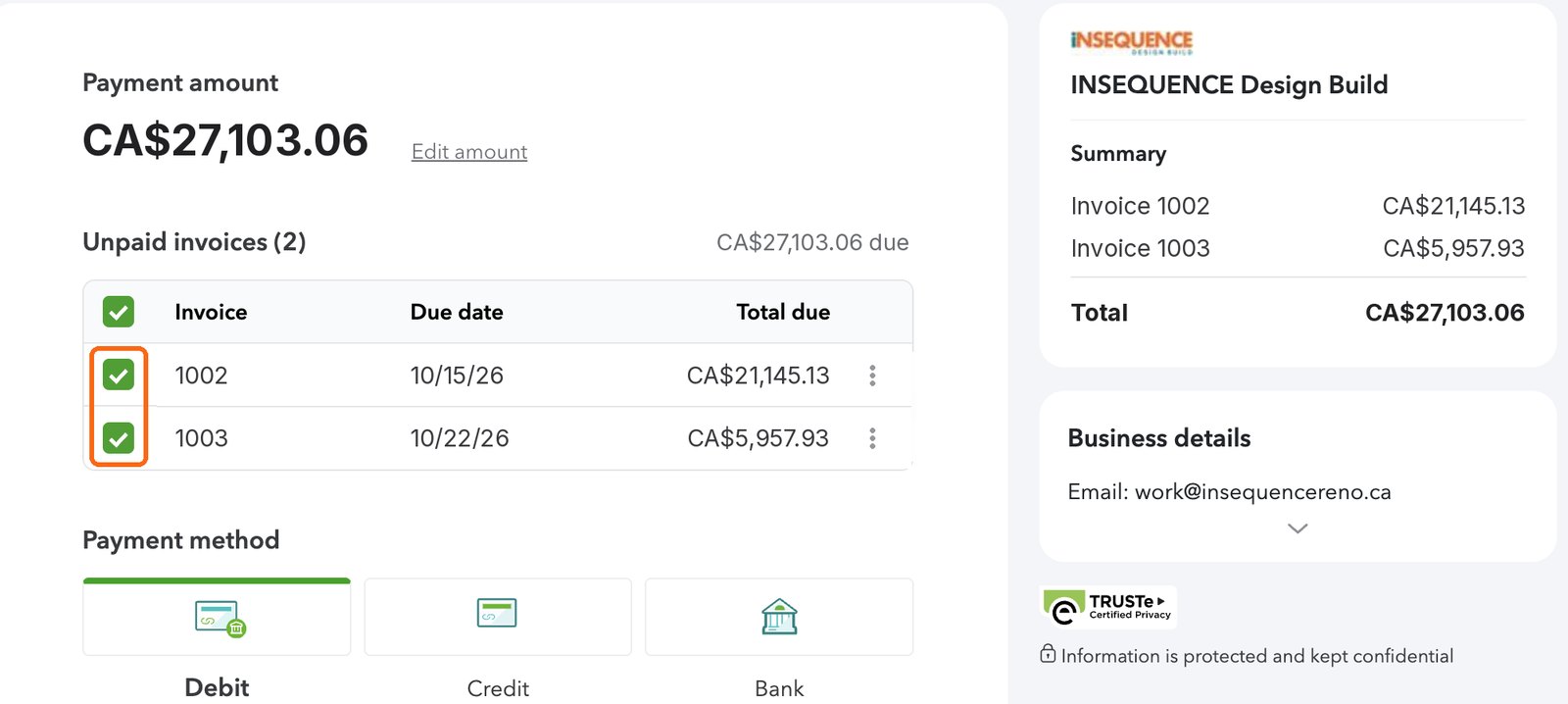
Tick Only the Invoices You'd Like to Pay
- QuickBooks ticks every open invoice for you.
- Untick any invoice you're not paying today.
- Check the total at the top so you know exactly what's coming out of your account.
Already paid by cheque, bank draft or e-transfer? Untick that invoice. It can show as unpaid for a few days while your payment clears, so you won't accidentally pay it twice.
3
Bank Payment
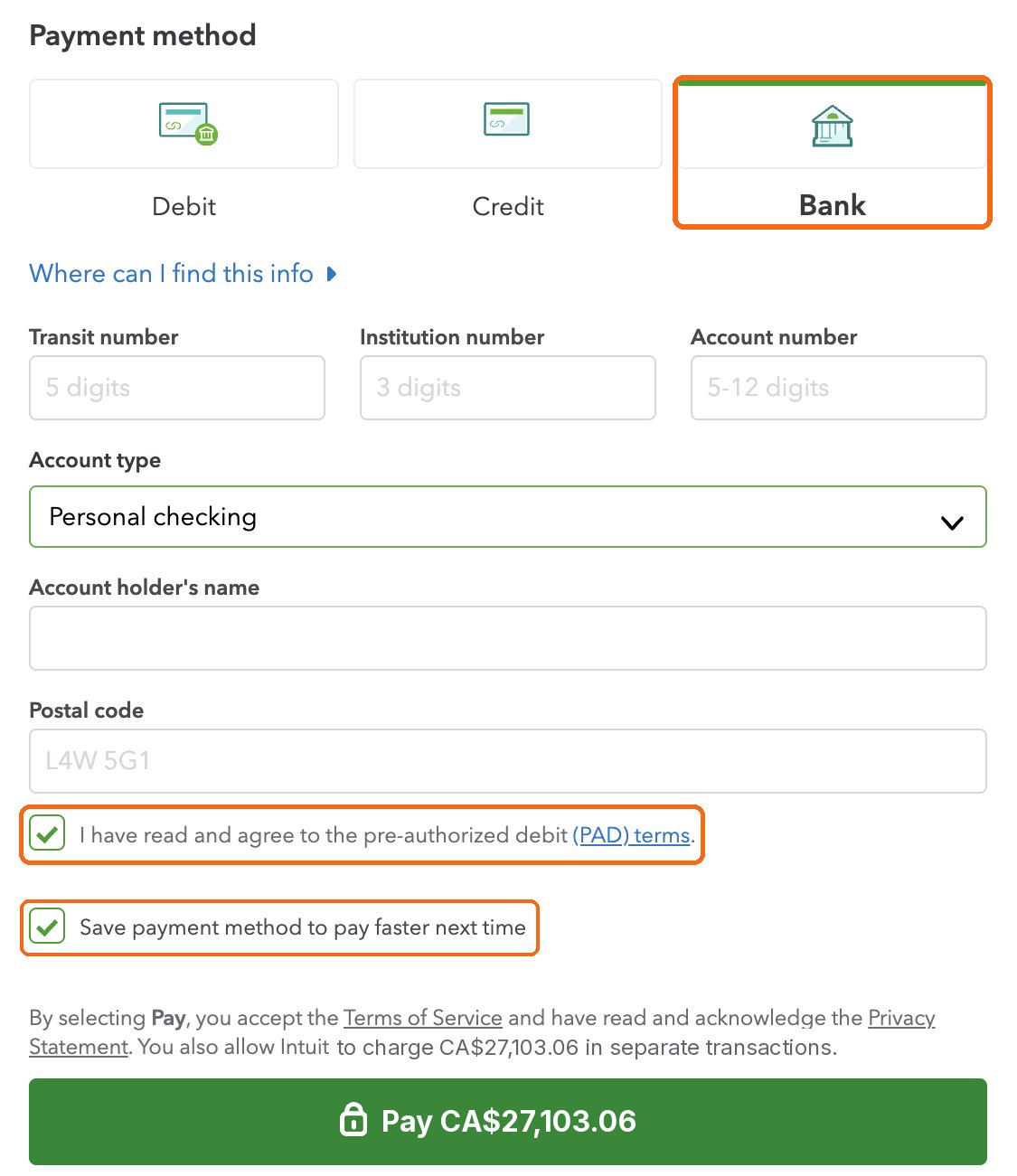
Choose Bank, Enter Your Details, Make Payment
- Click Bank.
- Enter your transit, institution and account numbers, you'll find them on a void cheque or in your online banking.
- Add the account holder's name and your postal code.
- Tick the pre-authorized debit (PAD) box, and leave "Save payment method" ticked if you'd like to make payments faster next time.
- Check the amount on the green button, then click Pay.